Home › Guide · YouTube
Make an audio visualizer for YouTube from your cover art
On YouTube, a track posted with a still image gets skipped fast. An audio visualizer keeps your cover in the spotlight and adds a spectrum that moves to the beat, the artist name, the title and where to stream. With ClipAudio you make it yourself in a few minutes, with no editing software.
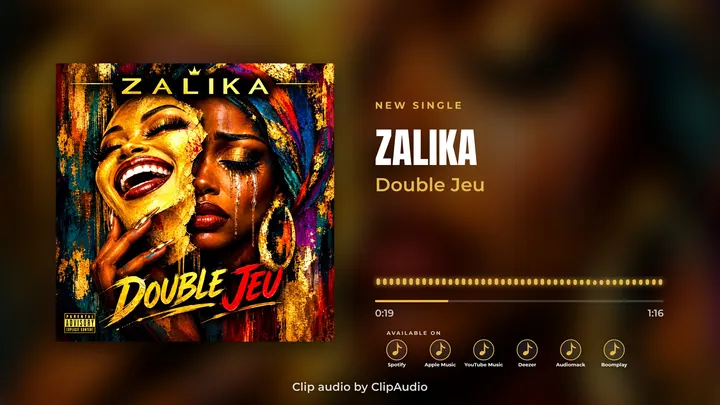
How to do it, in 3 steps
- 1
Upload your cover art
JPG or PNG, square preferably (3000×3000 is ideal). It stays exactly as it is.
- 2
Add the track
MP3, WAV or M4A. For YouTube, pick "Full song" in Duration to publish the whole track.
- 3
Pick a 16:9 template
19 YouTube layouts: Classic, Vinyl, Music player, Cinema… then export a 1080p MP4.
Tips for a YouTube video that keeps people watching
- Keep the title and artist name easy to read: that's what people search for.
- Show where to stream (Spotify, Apple Music, Deezer, Audiomack, Boomplay…).
- Add your own texts ("Feat. …", "Out now", your label name) and place them wherever you want.
- Put streaming links and socials in the description: ClipAudio gives you ready-to-copy text.
- Post the 9:16 version as a Short too: same clip, new audience, one click.
FAQ
What quality for YouTube?
Exports are 1920×1080 MP4 files, up to 60 frames per second: YouTube Full HD.
Can I publish the whole song?
Yes: in the Clip step, set the duration to "Full song". The short part (teaser) is meant for social media.
Do I need the rights?
Yes, like any upload: use your own music and cover art, or content you have permission to use.