Home › Guide · Social media
A release teaser for TikTok, Reels and Shorts
Before the release, you need to build hype. A vertical teaser shows the cover, plays the best part and announces the date. ClipAudio finds the likely chorus of your song on its own and prepares a 9:16 clip ready for TikTok, Instagram Reels, YouTube Shorts and WhatsApp status.
Make my free clip →Try with no account · 1 free clip every month
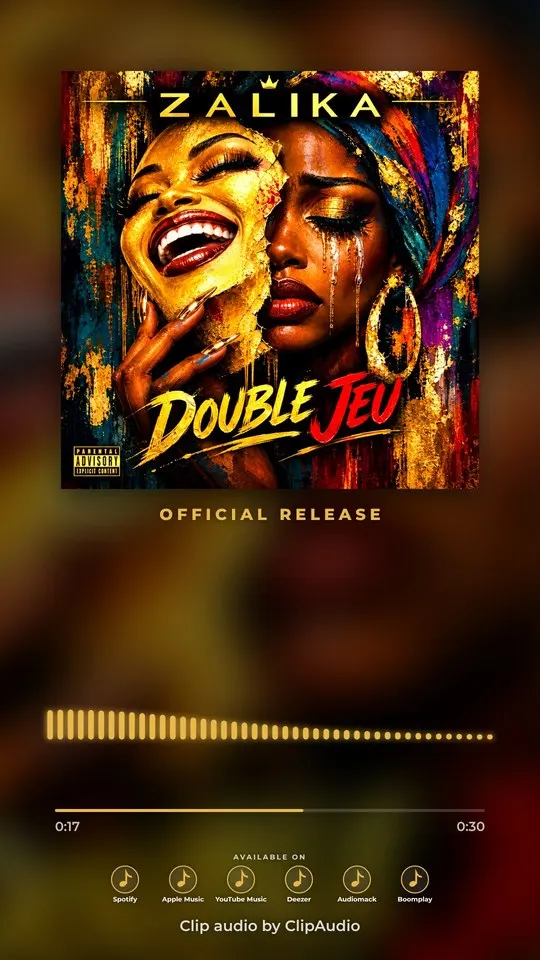
How to do it, in 3 steps
- 1
Upload cover and track
The likely chorus is detected automatically. You can pick another part.
- 2
Add the release date
Date, time and the artist's handle are shown neatly under the cover.
- 3
Export in 9:16
1080×1920, the native format of TikTok, Reels, Shorts and statuses.
For a teaser that builds hype
- 15 to 30 seconds is enough: pick the catchiest part, usually the chorus.
- Post the teaser several days before the release, then again on release day.
- Put the artist's @ in the clip: people find it even when the video is reshared.
- Export the 4:5 version too for the Instagram and Facebook feed.
FAQ
How long should a teaser be?
You choose freely. Usually 15, 30 or 45 seconds.
Can I use it as a WhatsApp status?
Yes, 9:16 is the status format. Keep it to 30 seconds for WhatsApp.
Can I change the "Official release" text?
Yes, every text can be edited right in the preview, in English or French.